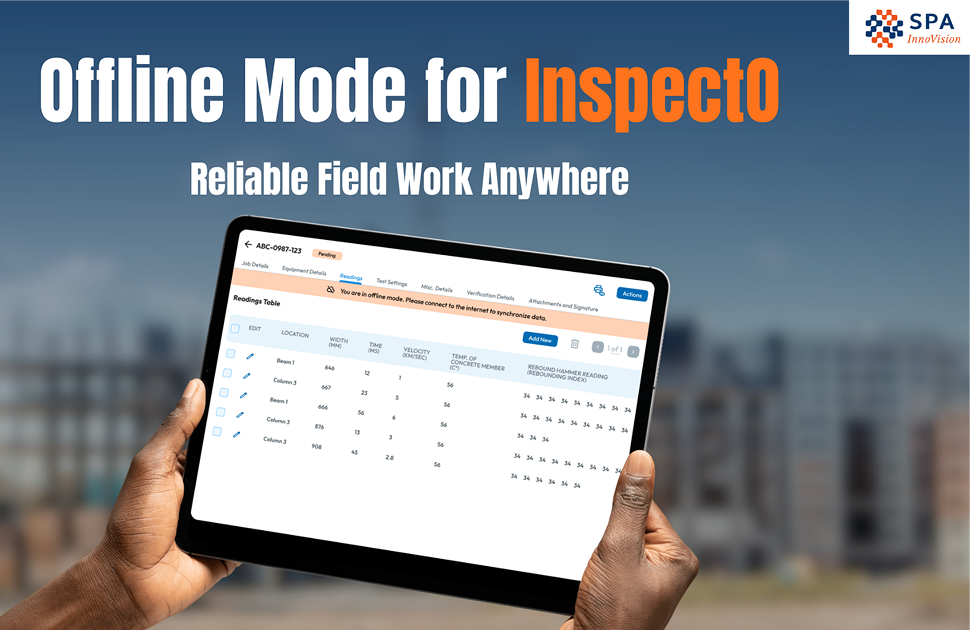
Field technicians often work in environments where internet connectivity is unreliable or unavailable. For inspection apps, this creates a major challenge—ensuring uninterrupted workflows even without network access.
This case study highlights how InspectO addresses offline challenges with a robust and user-friendly offline experience.
Why Offline Mode Is Necessary for Field Apps
Field inspection environments commonly face:
- Weak or no internet connectivity
- Remote or offshore locations
- Restricted network zones
- Unstable signal conditions
If inspection apps fail in these conditions, technicians are forced to return to paper-based processes, which defeats the purpose of digital transformation.
For more on how technology is overcoming remote field challenges, explore our guide on Digital NDT and Robotics in Industry.
Offline UX Is More Than “No Internet”
Many applications treat offline mode as a technical limitation rather than a user experience challenge.
Common issues include:
- Confusing warning messages
- Unclear sync failures
- Poor error handling
This creates uncertainty for technicians, often leading to concerns like:
“Will my inspection data be lost?”
A good offline UX must feel reliable, predictable, and stress-free.
Offline Experience in InspectO
InspectO is designed to ensure that technicians can continue their work seamlessly, even without internet access.
Offline Report Filling
Technicians can continue to:
- Enter inspection readings
- Complete checklists
- Add notes
- Upload attachments
Draft Saving
All work is saved locally, allowing technicians to pause and resume inspections anytime.
Smart Sync When Online
Once internet connectivity is restored:
- Reports are automatically synced
- Users can manually trigger sync if needed
- No data loss occurs
Once data is synced, the next step is generating insights. Learn how AI is transforming NDT reporting for faster decision-making.
Clear Sync Status Visibility
The interface clearly shows:
- Synced reports
- Pending sync reports
- Failed sync reports
This transparency builds trust and reduces confusion.
UX Principle Behind Offline Design
A strong offline experience follows a simple rule:
Offline should not feel like a limitation—it should feel like the system simply works.
Technicians should focus on inspections, not on managing connectivity or technical issues.
Outcome
InspectO is more than just an inspection software—it is a tool designed specifically for real-world field conditions.
It represents a shift from:
“Software that stores inspection reports”
to
“A technician-first tool built for real field work.”
Conclusion
Offline functionality is not just a feature—it is a necessity for field inspection applications. A well-designed offline UX ensures uninterrupted workflows, reduces dependency on connectivity, and builds user confidence.
With platforms like InspectO, organizations can ensure that technicians continue working efficiently, regardless of network conditions.
How We Can Help
This is where SPA InnoVision can support your business.
With InspectO, our digital platform for testing, inspection, and certification, we help organizations enable offline inspection workflows, improve reporting accuracy, and maintain full compliance.
If you’re ready to eliminate paper-based inspections and empower your field teams, we’re here to help.
👉 Contact SPA InnoVision or book a demo to see how InspectO can simplify your inspection workflows.


There are no comments yet!